Kanal-WEB
Two characters introducing Kanal-WEB

Extend your CRM with kintone integration

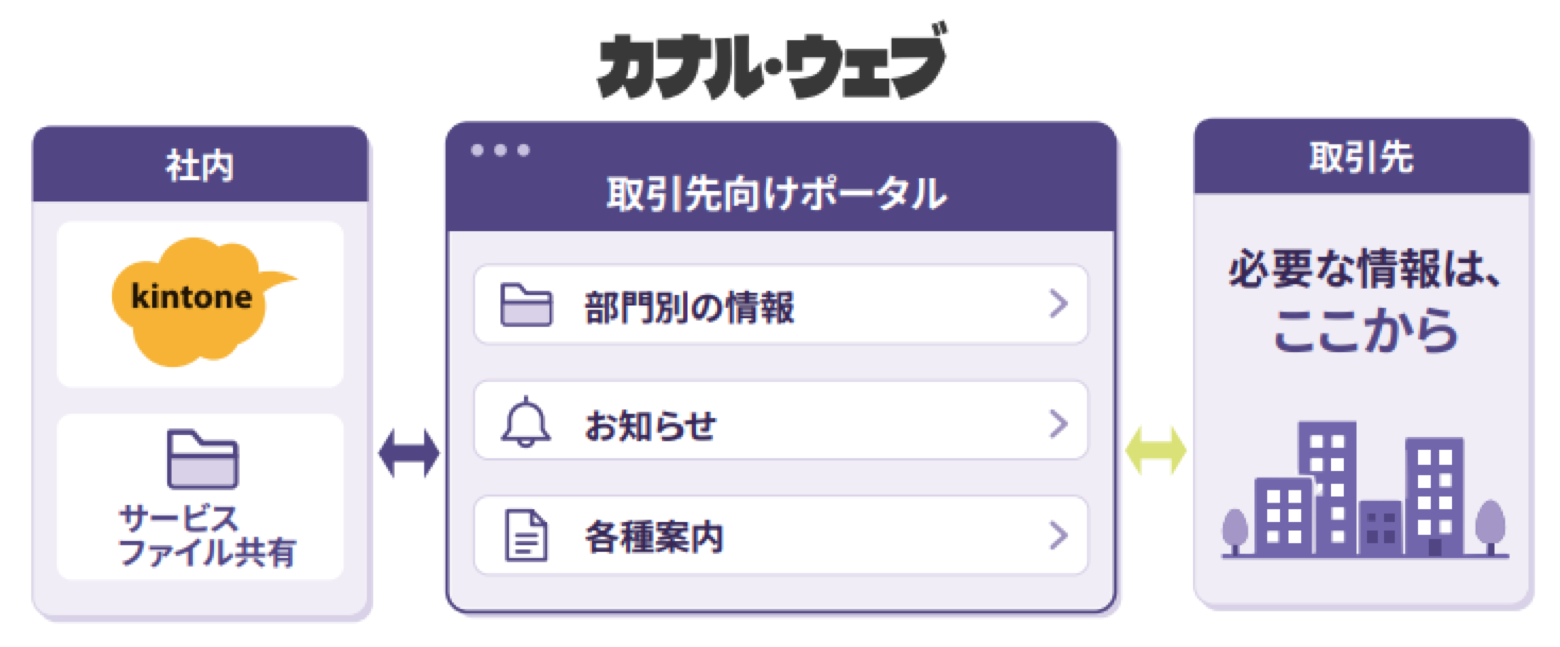
Customer-facing web forms and My Pages, connected to kintone. Customers check information on My Page and submit it through web forms.

Service overview | kintone × Kanal-WEB

Connected to kintone: customer-facing web forms and My Pages

Used internally

kintone

All your internal information in one place

  • Customer information
  • News & content
  • Inquiry management
  • Deals & contracts

Show each customer only what they need

Publish & share

Customer requests and updates flow into kintone

Entries auto-sync

Screens your customers use
Kanal-WEB

Check on My Page, submit with web forms.

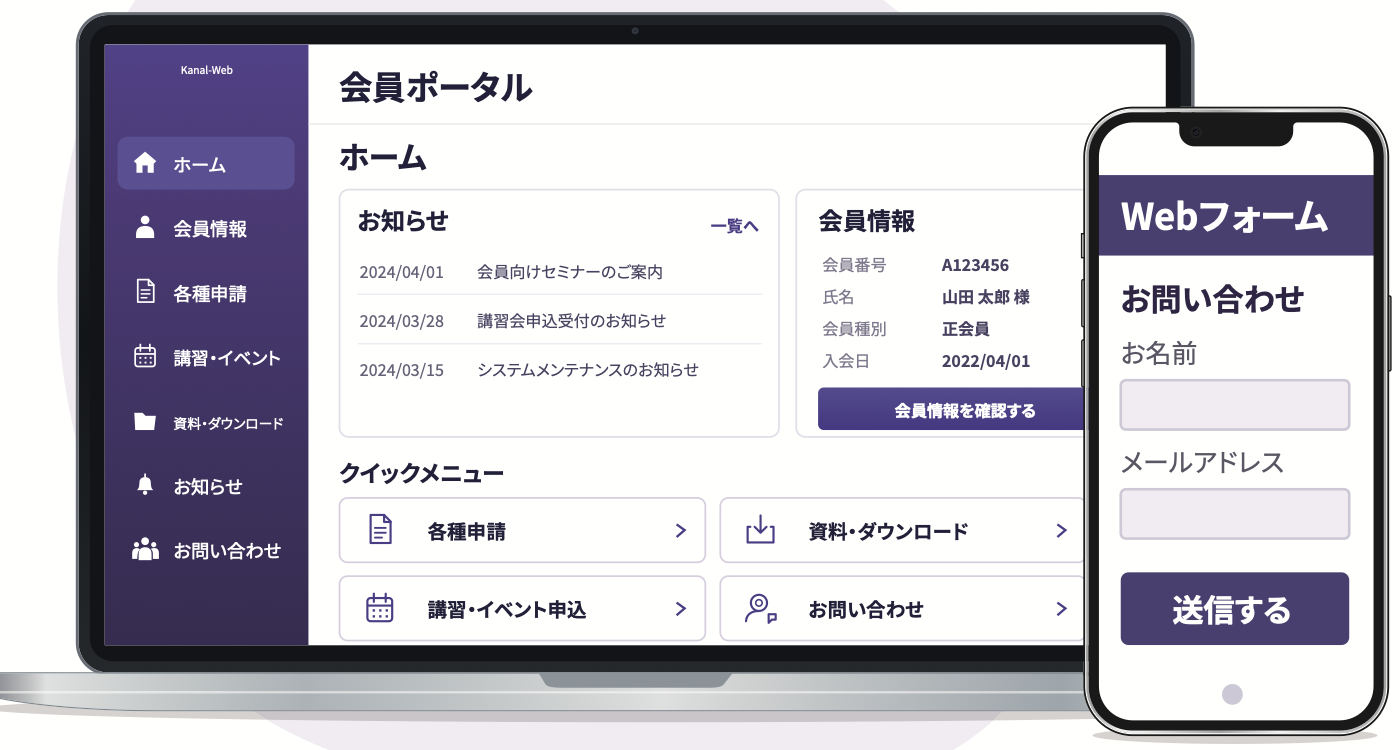
Member portal (PC) and web form (smartphone) screens

The features you need

  • Login authentication
  • Viewer
  • Web forms
  • Web activity history

* Screens are for illustration. They can be changed through settings and added options.

Chosen by organizations that manage customers and member companies.

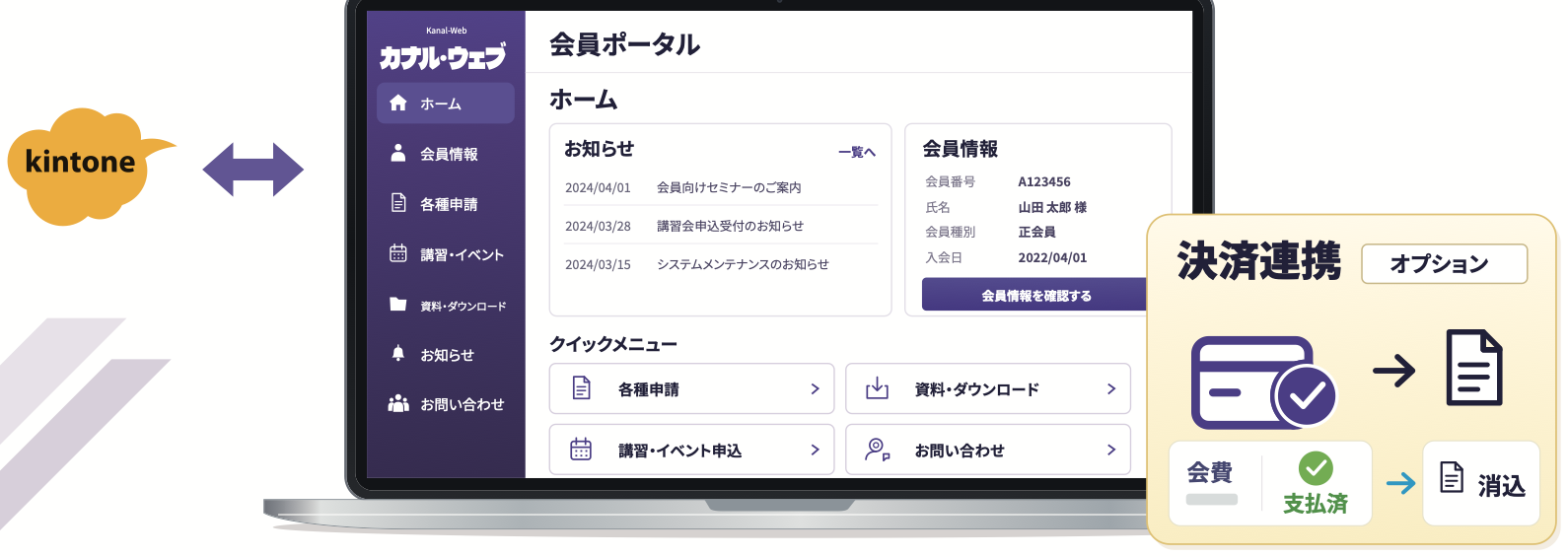
Members check, update and pay on My Page. The secretariat manages everything in kintone. Reconciliation is automated.

A member portal for associations and organizations, connected to kintone, with fee reconciliation through payment integration (option)
* Image for illustration
  • Login authentication + two-factor authentication * Two-factor is an option
  • Operation logs & web activity history
  • User management by members Option

Only need web forms?

Why Kanal-WEB

Bring it all into kintone as your CRM data foundation.

Customer and member information, submitted requests and web activity history.

Even as members and pages grow,

Flat pricing

Your fee stays the same as users and published pages increase.

Matched to your brand and workflows

Customization

From look and feel to custom features, a site that fits your business.

  • Logo & colors
  • Custom domain
  • CSS & JavaScript

* Varies by plan and option.

How it works

Add the plugin and settings app to kintone

Set up pages and forms in the kintone you already use.

  1. 1

    Admin portal

    Download the plugin and settings app

  2. 2

    Your kintone

    Add them, then set up pages and forms

    • Page settings
    • Form settings
    • Information to display
  3. 3

    Kanal-WEB My Page

    Your settings are reflected

Key features of Kanal-WEB

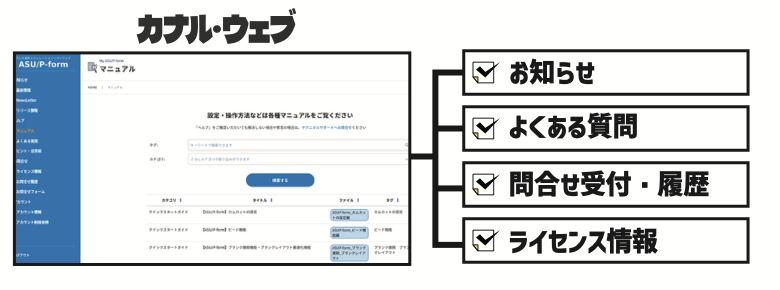
Everything your My Page needs, in one place

  • Login authentication

    Members-only pages, as easy as any website

    • Log in with an email address and password
    • Show information only to logged-in users
    • Two-factor authentication by email or SMS
  • Viewer

    Share kintone information with the people who need it

    • Update data alongside viewing
    • Set view permissions for each user
    • Sort and filter search
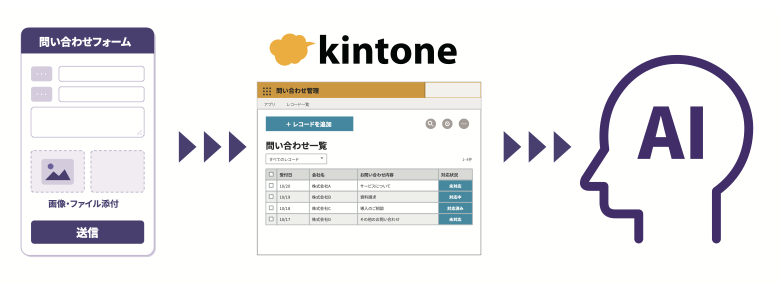
  • Web forms

    Connect applications and inquiries to kintone.

    • Entries are added to or update kintone
    • Draft saving, conditional branching and input checks
    • Auto-reply emails and other handy features built in
  • Email delivery

    Send emails from kintone to the right people.

    • Individual, bulk and scheduled delivery
    • Automatic emails triggered by kintone updates
    • Email templates
  • Activity history

    Who viewed what, and when. Turn customer interest into data.

    • Record page views, downloads and more
    • Store activity data in kintone
    • Material for AI customer analysis

    * AI analysis is done with separate AI tools.

  • Design & feature customization

    A portal of your own, matched to your brand.

    • Logo and colors matched to your brand
    • Publish on your own domain
    • Customize design and features with JS, CSS and HTML
  • Payment integration

    From member management to fee payment and reconciliation.

    • Cards, convenience stores, bank transfer and direct debit
    • Recurring billing such as monthly fees
    • Payment status syncs to kintone automatically
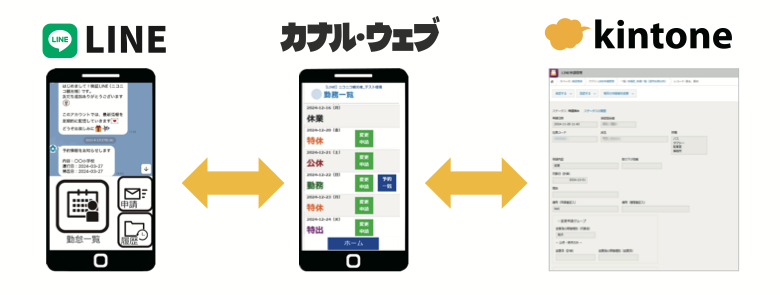
  • LINE integration

    Log in to My Page from LINE, and send messages too.

    • Log in to My Page from LINE
    • Send LINE messages
    • Take requests via LINE, with less manual re-entry

* Payment integration, LINE integration and email/SMS two-factor authentication are options. See the pricing page for plans and fees.

Pick the features you need and start with a free trial.

Use cases

Interactions with customers, members and partners, across industries and workflows.
  • Associations & organizations

    Member portal

    Member management, fee payments & reconciliation

  • Manufacturing & wholesale

    Partner & dealer portal

    Requests & document sharing

  • IT & software

    Customer support & CRM

    Inquiry management & customer activity history

  • Travel & transportation

    Online request intake

    LINE integration & less manual re-entry

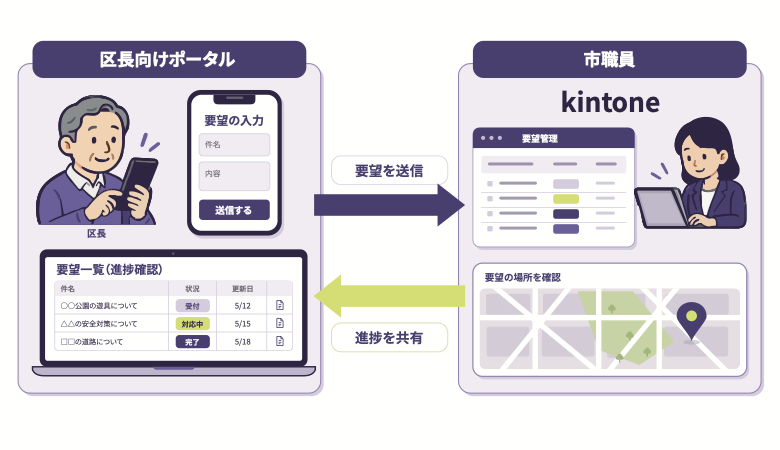
  • Local government

    Community portal

    Request intake & progress tracking

  • Education

    Learner site

    Learning content & learner management

Case studies

Chosen by companies, organizations and local governments.

  • INABA DENKI SANGYO CO., LTD.
  • Oji Group
  • Koshin Sangyo Co., Ltd.
  • Comdec Inc.
  • ASTOM R&D
  • TCJ Global Inc.
  • Tohoku Copy Hanbai
  • Niconico Kanko Co., Ltd.
  • Minamiboso City
  • Miratap Inc.
  • Logical Studio Inc.
IT & telecom Comdec Inc.

Using customer behavior history to evolve kintone CRM

View case study
CAE software ASTOM R&D

One support desk for faster, higher-quality responses

View case study
Bus & taxi Niconico Kanko Co., Ltd.

Attendance requests via LINE, with less copying from paper and Excel

View case study
IT & telecom Logical Studio Inc.

30% less inquiry handling for its own products, with stored data headed for AI use

View case study
Local government Minamiboso City

[Municipal DX × kintone] A portal for district heads to submit and track requests

View case study
Education TCJ Global Inc.

Replacing the LMS and cutting operating costs by 50%

View case study
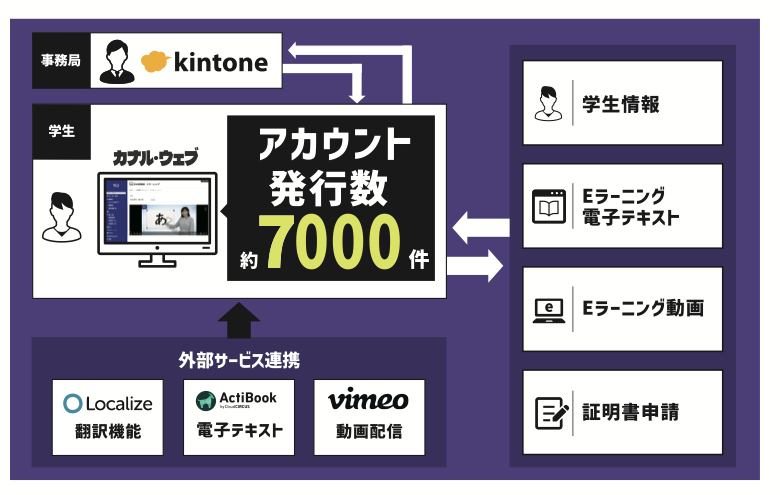
Electrical materials trading INABA DENKI SANGYO CO., LTD.

One entry point for business partners, with no more searching

View case study
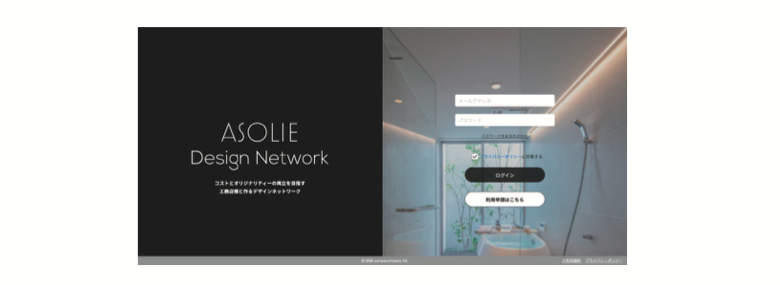
Housing equipment & building materials Miratap Inc.

A portal for franchise stores, matched to the company’s brand

View case study
Security

Share important customer information with peace of mind.

Authentication, permissions and management controls protect your member information.

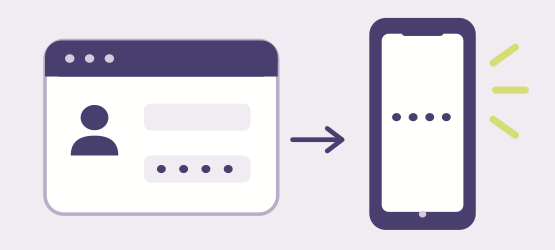
  1. 01 User authentication

    Two-factor authentication supported

    Add two-factor authentication by email or SMS. Password policies can also be configured.
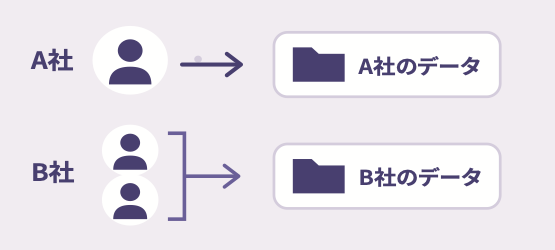
  2. 02 Permissions

    Control who can view and edit

    Set visibility and view/edit permissions for each user and organization.
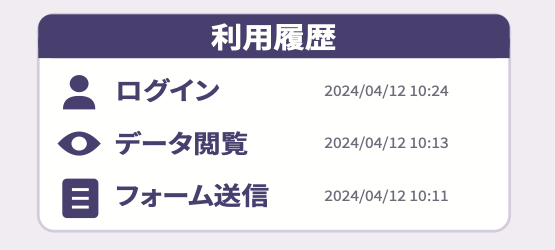
  3. 03 Log management

    Review usage history

    Logins and operations are recorded to help you check and investigate suspicious use.
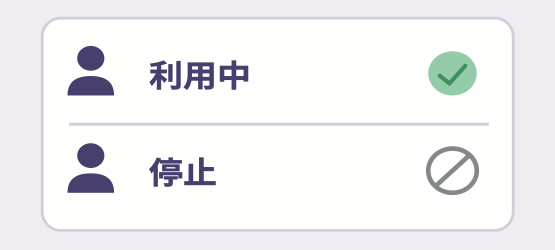
  4. 04 User management

    Suspend accounts of departing members

    Manage accounts in kintone. Suspend access when a member leaves, or at a scheduled date and time.
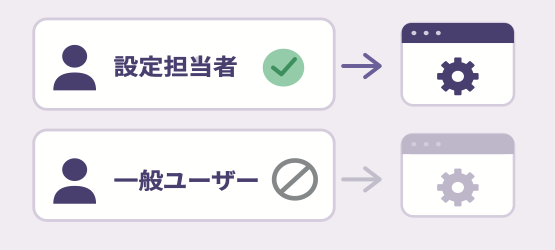
  5. 05 Settings management

    Limit who can change settings

    Access to the settings screen follows kintone permissions, so only designated staff can change it.
  6. 06 Vulnerability assessments

    Daily monitoring and monthly assessments

    Real-time monitoring with a prompt response when anomalies are detected.

    ISMS / ISO 27001 certified

Getting started | Start your way

Choose how to start.

Pick the setup approach that fits your team.

Do it in-house

Build it yourselves

A staff member building the portal on a laptop

Free 2-hour online setup support

Leave it to the pros

Ask a vendor

A staff member handing the build over to a vendor

Introductions to experienced vendors

Start with a free trial or an online consultation.

See the pricing page for plans and how to apply. See pricing