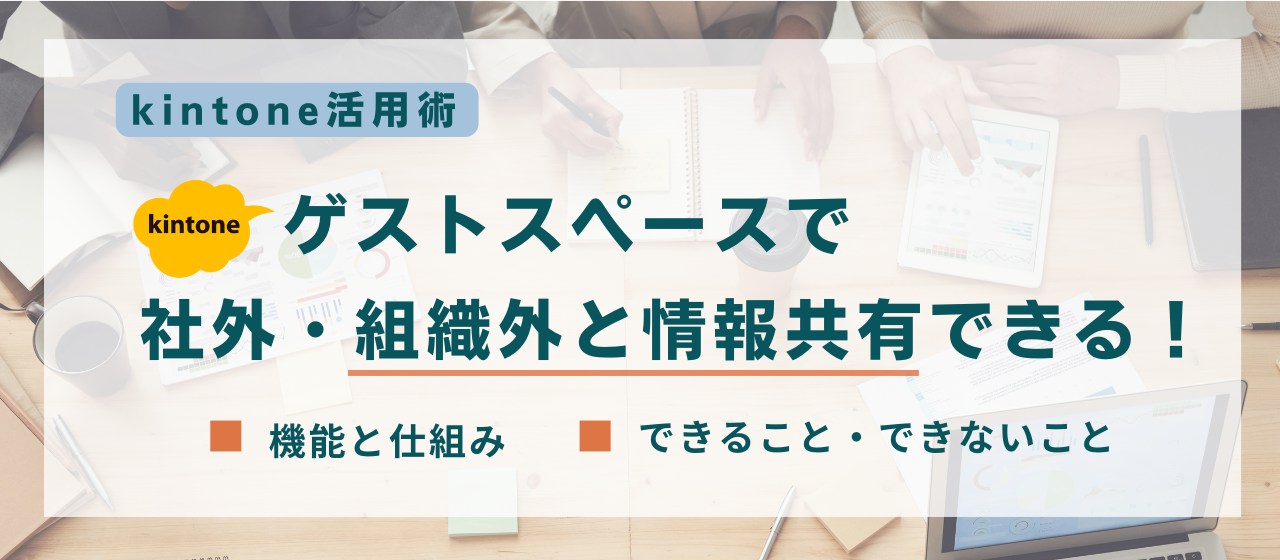
Many people are probably interested in kintone guest spaces but are unsure how they work or what they can do.
This article explains what kintone guest spaces make possible and the benefits of using them, as well as what they cannot do and their drawbacks. Guest spaces can broaden the ways you use kintone, so we hope you find this article useful.
[Who this article is for]
- Those who want to communicate and share information efficiently and securely with external stakeholders
- Those who want to learn about options for improving work efficiency with kintone
What is a kintone guest space?
Invite external stakeholders as “guests” and collaborate in kintone
When you want to carry out work in kintone while sharing information not only with your own employees but also with external partners and clients, you can invite people who are not kintone users at your company into a “guest space” as “guests.” This keeps them separate from your internal environment, so you can share information securely without leaking confidential information. Guest users can view and post in threads and use the apps in the space, but only within the guest space.
[Reference] kintone official site: “What are guest spaces and guest users?”
Examples of how to use guest spaces
- Budget requests and approvals for development projects
- Sharing survey results from co-hosted seminars
- Sharing the latest updates and materials in joint projects
- Sharing schedules with external staff
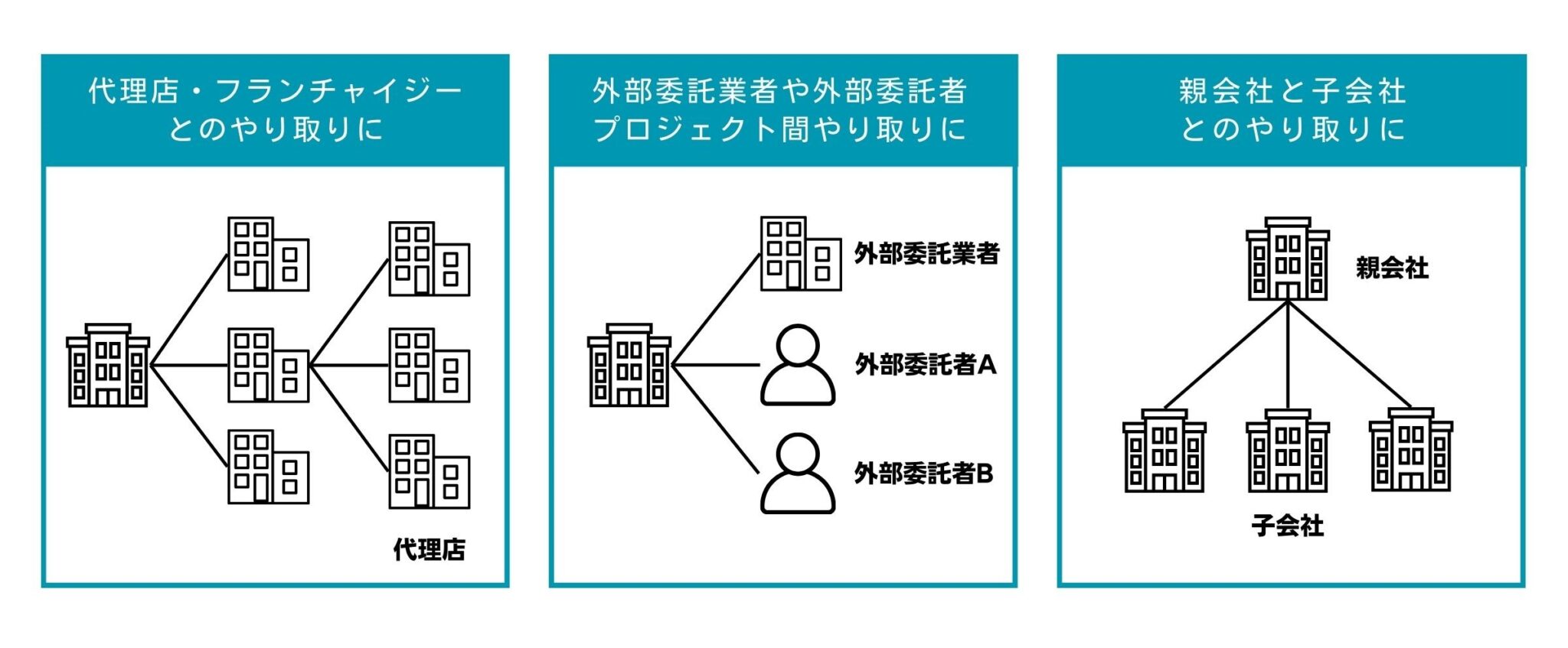
How guest spaces work
Guests invited to a guest space can access kintone from the invitation email and create a guest account. Users invited to a guest space are called “guest users.”
Guest users can access only the space they were invited to and the apps within it. They cannot view any other data.
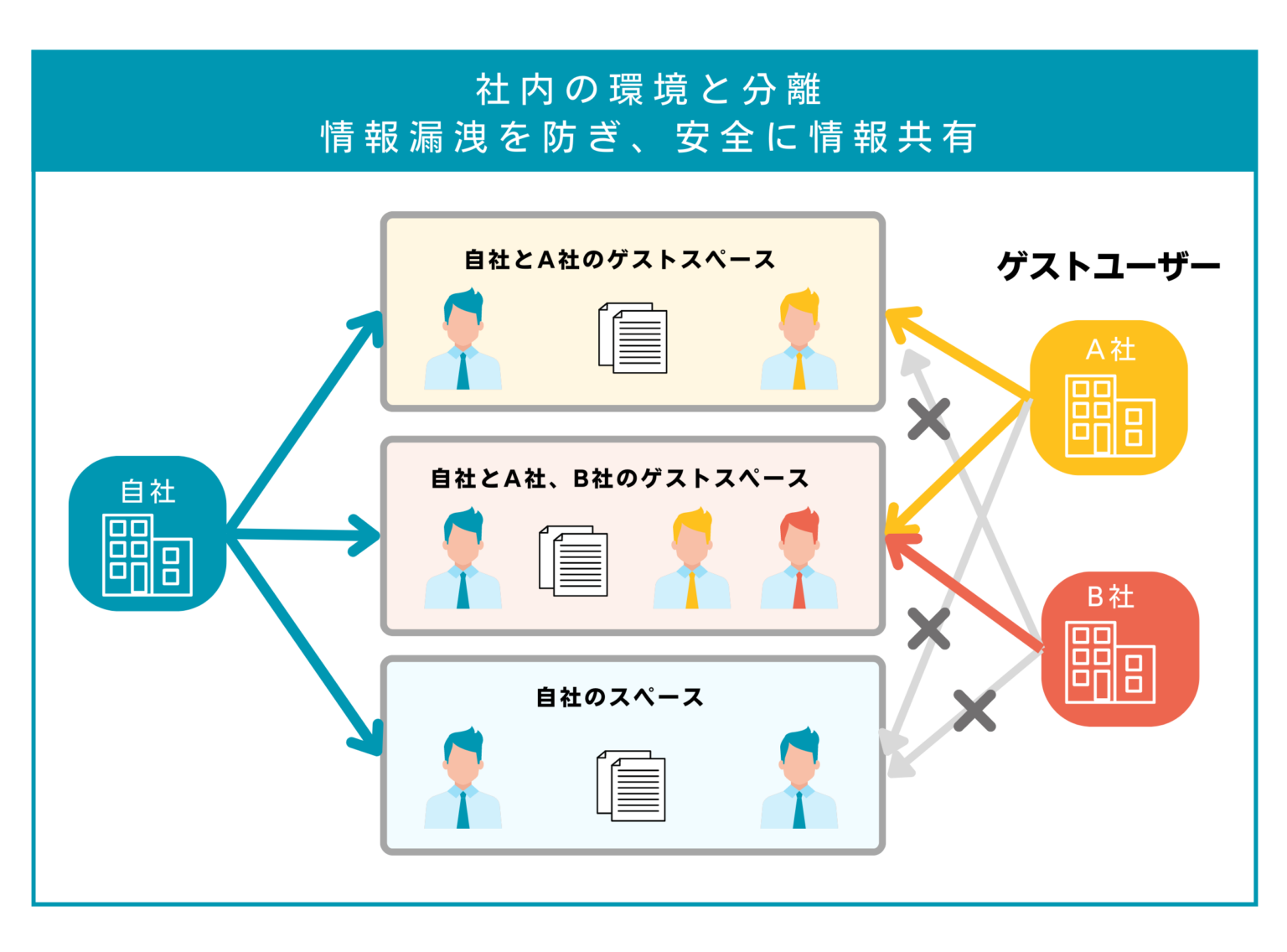
Why guest spaces are recommended for working with external parties (benefits)
Communicate efficiently with people inside and outside your company
When internal and external communication methods and tools are fragmented, information management becomes complicated and omissions and mistakes are more likely. With kintone guest spaces, you can centralize scattered communications between companies. Because you can manage and share information on a single screen, your work becomes more efficient.
Guest spaces eliminate information silos and missed messages caused by one-to-one communication. Even when the person in charge changes due to a transfer or other reasons, past exchanges can be reviewed within the guest space, enabling a smooth handover.
Restrict what information can be viewed
Information for internal use often differs from information intended for external parties. Because guest users can view only the information within the guest space, you can communicate while protecting confidential information in the system.
In addition, guest users cannot delete or edit other people's threads, so you can manage information while maintaining its quality.
Make external communication visible
With phone calls or personal email, communication with external parties is not visible, and those exchanges cannot be checked. With a guest space, exchanges with external parties remain in threads, making communication visible. Any member can read through the exchanges, which helps build a shared understanding.
Issues with using guest users (drawbacks)
Additional costs
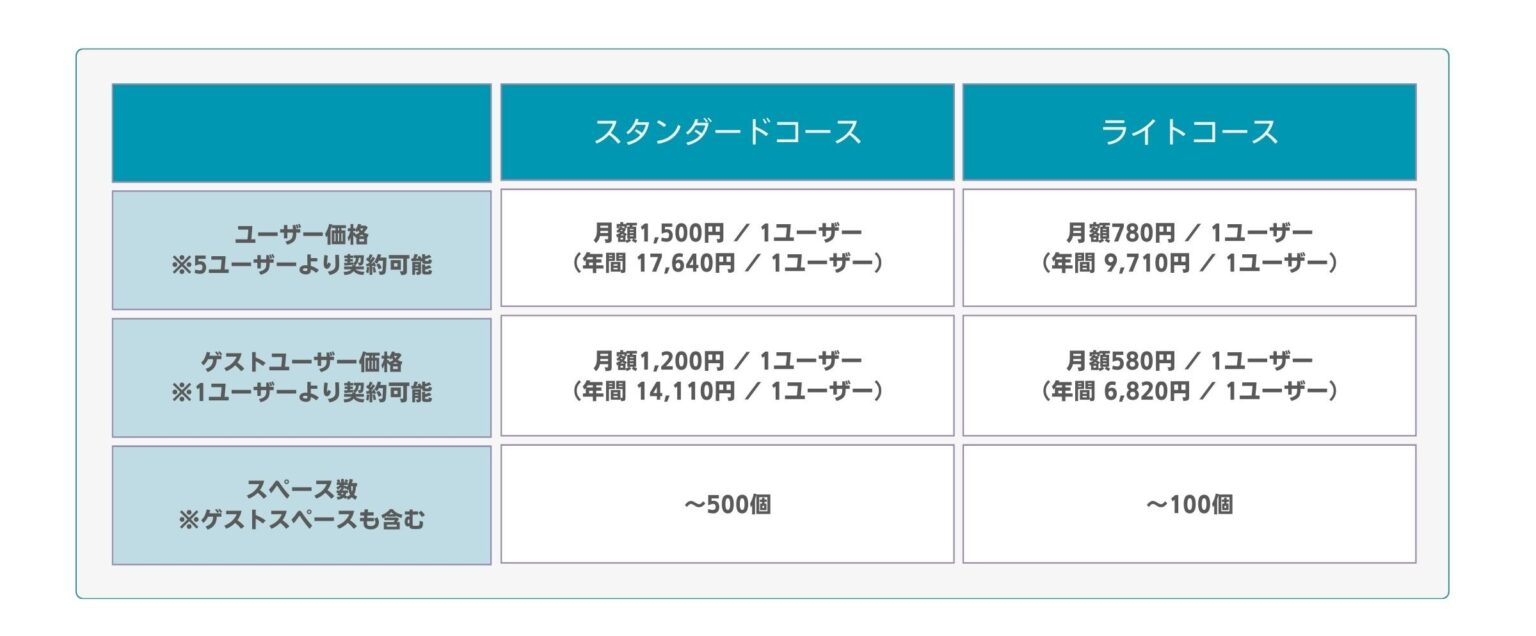
Each guest user incurs an additional license fee. If you want to share information with many external members, license fees can become expensive.
In addition, the plan (Light or Standard) and billing cycle (monthly or annual) for guest users must be the same as those of your kintone contract.
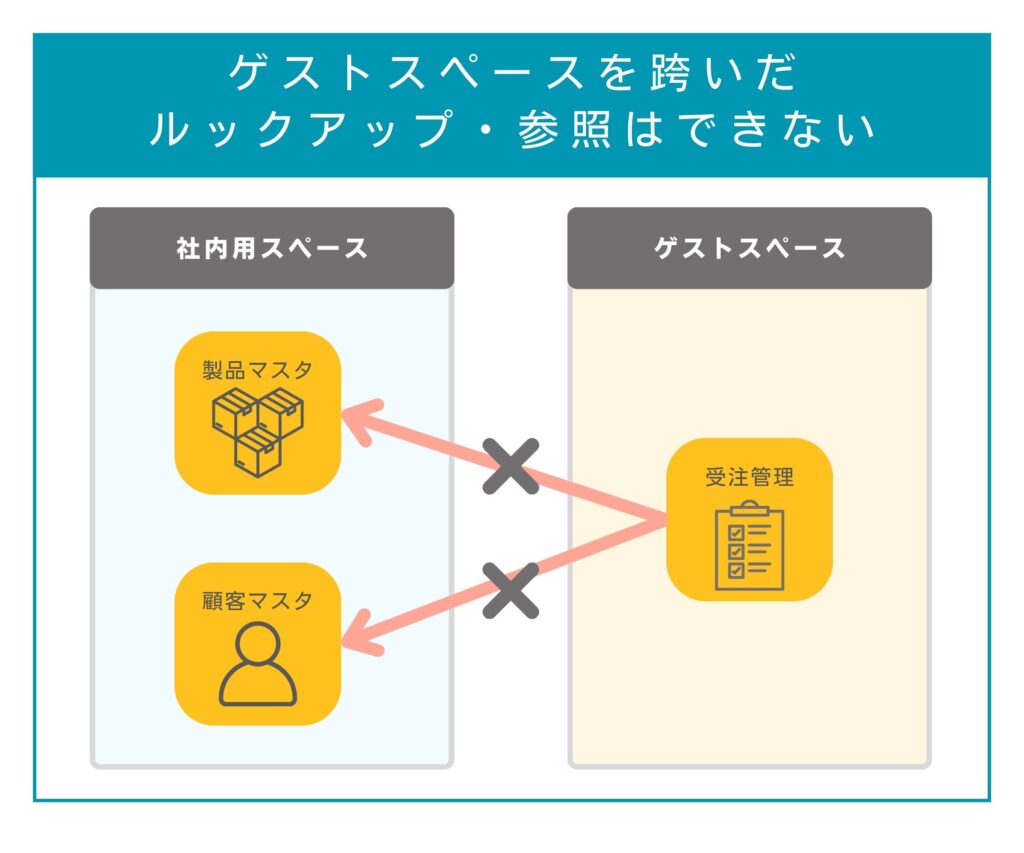
Data cannot be referenced across guest spaces
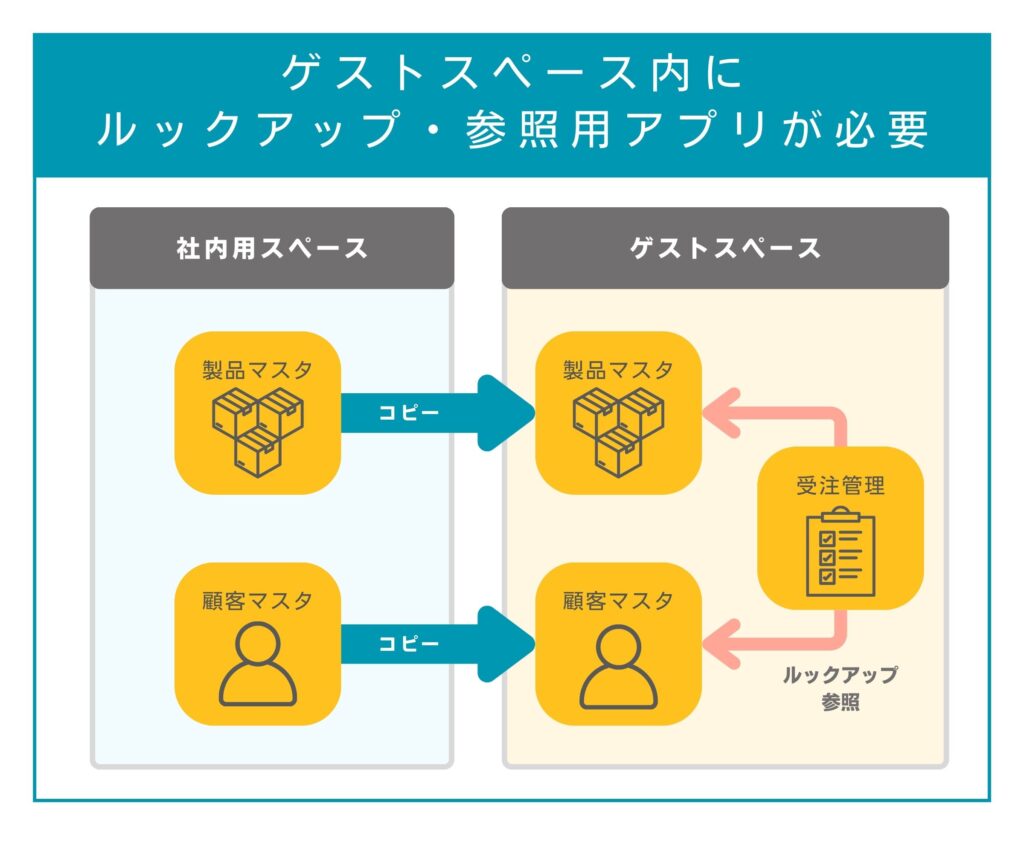
Guest users can view only the information inside spaces created as “guest spaces.” They cannot reference or perform lookups on other internal apps outside the guest space. If you want to reference or look up data within a guest space, you need to create the source app in the same guest space.
A guest space is created from “Create Guest Space,” just as you would create a regular space. A space that is not a guest space cannot be converted into a guest space later.
Not being able to reference data across guest spaces is an advantage in terms of security, but the drawback is that it imposes many functional constraints and requires extra work.
Setting permissions for each guest is complicated and tedious
Groups (roles) cannot be used in guest spaces. Only the Administrators and Everyone groups (roles) are available, and organizations cannot be used.
A guest space is, by its very nature, a place where you want strict control over input and display through access permissions so that unnecessary information does not reach external stakeholders. However, when you want to “notify everyone except guests,” for example, you cannot specify a group, so each person has to be configured individually. If there are many guest users or they change frequently, configuring individual settings every time is quite tedious.
Also, if you configure settings by specifying individuals, you will need to modify the app whenever the person in charge changes due to a transfer. Not only is this time-consuming, but there is also a risk of settings being missed.
It looks just like kintone, which makes it hard to use with customers
Because kintone guest spaces are designed to share kintone's functions externally, they look exactly like kintone. It is difficult to create screens that match your brand image or to offer an easy-to-use experience, so guest spaces are not well suited to sharing information with customers.
In addition, in a guest space, information about the other guests using it is visible, so if you do not want customers to see one another's information, guest spaces are not an option in the first place.
Kanal-WEB: the same experience as a website, ready for large user bases
Kanal-WEB from bitRiver lets you build a member site that works just like a regular website. And because the price does not change with the number of users, even organizations with a large user base can get started without worrying about the number of accounts.
Like guest spaces, Kanal-WEB lets you share data entered in kintone with external parties. By giving customers and partners My Page accounts, you can easily configure information sharing and feature restrictions according to membership level.
Offering a dedicated member service rather than an extension of kintone also helps strengthen your brand image.

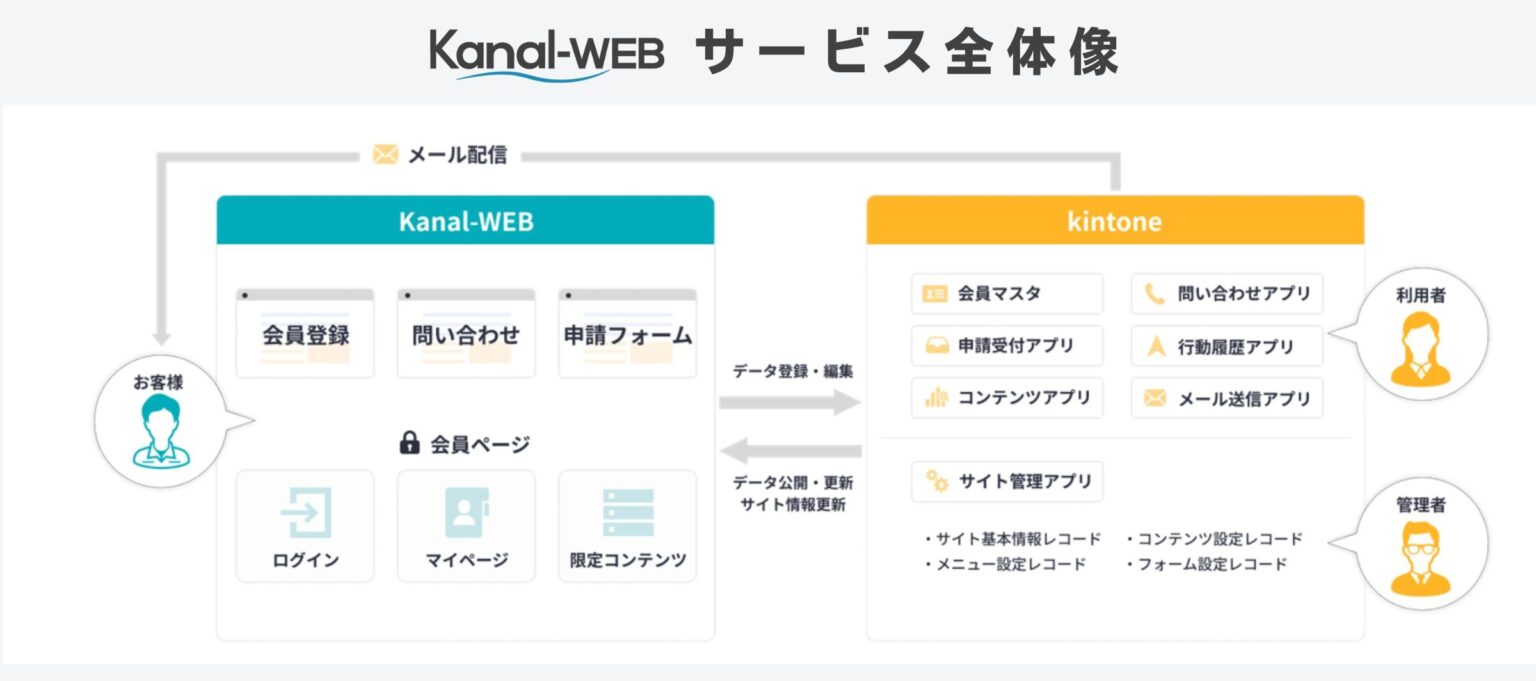
Features of Kanal-WEB
The same look and feel as a regular website
Kanal-WEB is committed to providing the same visuals and usability as the websites people use every day. You get a member site that matches your brand image and holds its own alongside your corporate website.
No need to issue (and pay for) a kintone account for each guest user
Compared with kintone guest user license fees, Kanal-WEB tends to be less expensive.
Kanal-WEB pricing is not tied to the number of users, so you don't have to worry about your budget as users grow. The more guest users you have, the more cost-effective it becomes.
Kanal-WEB case studies
Building a highly designed B2B member site in a short time
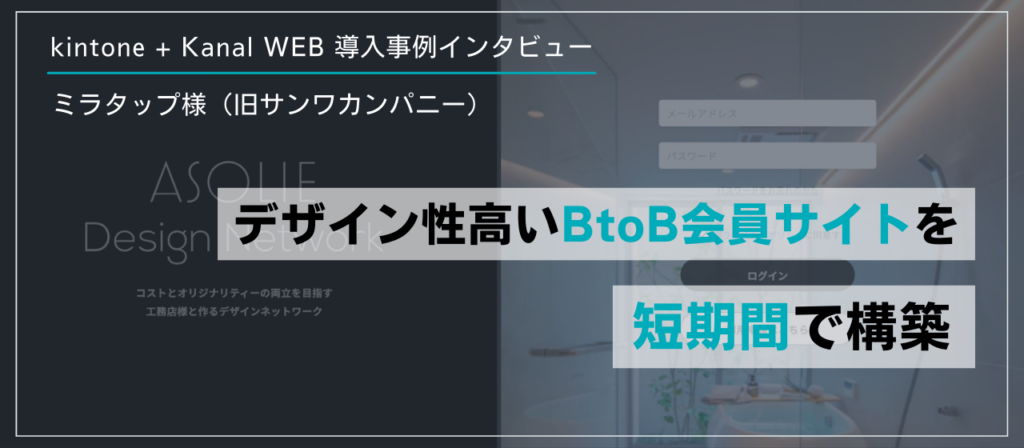
[Client] Miratap Inc. (formerly Sanwa Company)
[Project] Building a member site that provides sales promotion tools to partners (affiliated builders)
[Challenge] In addition to holding design training and seminars for its partners (affiliated builders), the company provides sales promotion tools such as construction case studies, image assets, and video assets that can also be used on social media. This information was shared via Dropbox and communication was handled by email, which was time-consuming, and there was no system that let partners easily access the latest information.
In addition, many of the company's customers and partners place great importance on design, and the company felt there was a mismatch between its brand image and the design of the tools it was using.
[Solution] By introducing a member site built on Kanal-WEB, the operations team dramatically reduced the time it spent contacting customers.
Partners (affiliated builders) can now access the information they need right away, neatly organized and without the stress of searching, from a variety of devices, not just PCs, so they can use the information they receive more effectively.
The company was also able to build stylish member pages that match its design-focused brand image.
▼ For details of this case, please read the following article.
Effective collaboration with stakeholders on a public project with Kanal-WEB
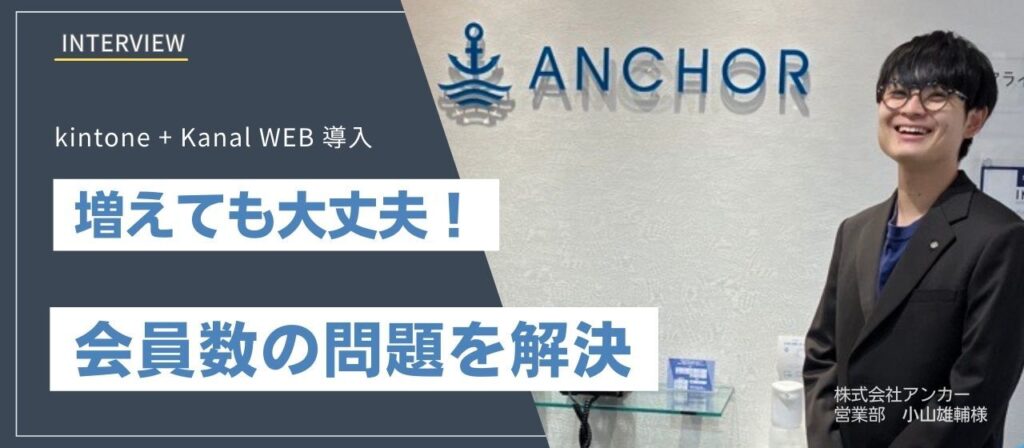
[Client] Anchor Co., Ltd.
[Project] Building a platform for a public project that promotes digitalization
[Challenge] With a limited budget, it was difficult to issue kintone accounts to each of the roughly 1,000 stakeholders. In addition, there were multiple groups of stakeholders with different permissions and tasks, which made administrative settings in kintone complicated.
[Solution] Each stakeholder was given their own account on Kanal-WEB. The system consolidates the activity data from these accounts in kintone without requiring kintone accounts for the stakeholders. With only the secretariat holding kintone accounts, an efficient digital platform was built within budget.
Furthermore, because groups can be configured in bulk on Kanal-WEB, it was easy to organize stakeholders with different permissions and tasks into groups and to swap members in and out.
▼ For details of this case, please read the following article.
Summary
Many companies likely carry out their work not on their own but together with management companies, contractors, and outsourced partners. However, if information is shared piecemeal by email, phone, and other means each time, every exchange takes extra effort.
If your company is struggling with “managing information in Excel” or “scattered communications,” please consider introducing kintone. We also offer free consultations.