
Yes.
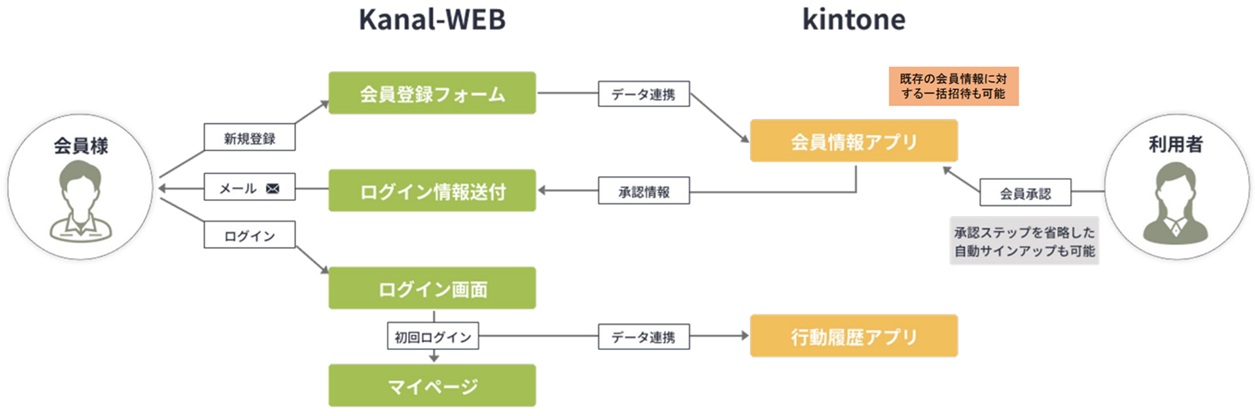
Kanal-WEB lets you invite users to log in to their My Page based on the email addresses registered in a kintone app.
💡Key Points
- Kanal-WEB lets you manage users centrally in a kintone app
- One record = one account
- An email address must be registered
How to Send Login Invitations
- Add an "Email address" field to the kintone app.
- Run "Invite" from the list view or the record details screen.
- A login invitation email is sent to the registered email address.
- The member logs in to their My Page using the information in the email.
- On first login, the member resets their password, and access is complete.
Additional Information
- With the new member registration web form, data is registered directly in the My Page user master.
- With the self sign-up feature, a login invitation is sent as an auto-reply email after the web form is submitted, automating the invitation process.
- Administrators can check login status in a list and resend invitations.