
— How someone without an IT background built a system that eliminates manual re-entry and prevents input errors —
Case Overview
By integrating the Kanal-WEB Form Plan with kintone, the company centralized its customer information and quote management. It rethought operations that had revolved around Excel and email, and built "a system that requires no manual re-entry and prevents errors." Using actual screen images, this article shows how someone without an IT background made it happen.

Founded in 1970, Koshin Sangyo Co., Ltd. provides a wide range of surface treatments, including chemical cleaning of stainless steel and phosphate treatment. As a downstream step in the manufacturing process, its work plays a vital role in determining product quality.
The Challenge: Accepting Quote Requests by Email and Fax
Manual re-entry and the risk of input errors in Excel- and email-based operations
Previously, customer information registration and quote requests were handled with Excel.
The customer information registration process
Customer information was collected in a mix of ways, including paper, Excel, and fax.
Send an Excel file (sometimes paper or fax) → Customer fills it in → Customer sends it back (by fax or Excel) → Check the content → Re-enter it in kintone
This workflow took about 20 minutes per registration. On top of that, checking for incomplete entries and the risk of transcription errors made the process not only time-consuming but also a strain on maintaining accuracy.
Quote requests
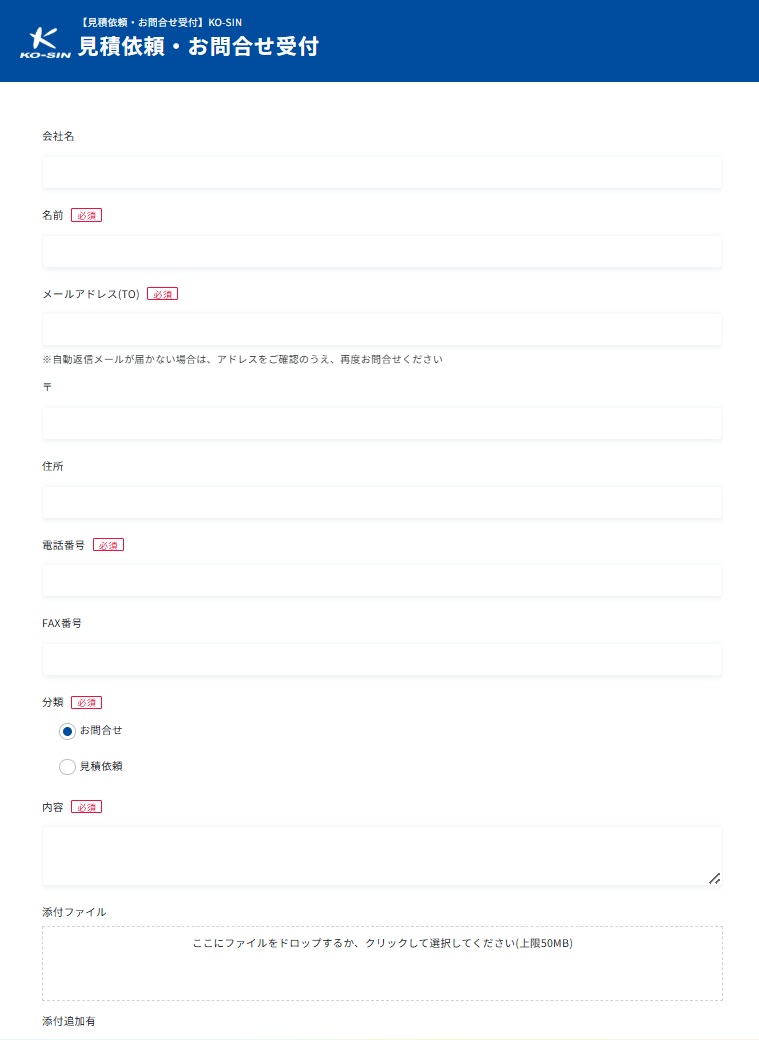
Quote requests were received individually, by fax, by phone, or by email to each person in charge.
Inquiries submitted through the website's form were also simply forwarded as email notifications to individual staff members, so management was scattered.
As a result, each staff member replied individually by email, fax, or phone. There was no way to tell who had responded or how, and no one could keep track of progress or details.
Quotes were created in kintone only when a formal quote document was required. Everything else was handled by email or fax, so information was never centralized.
The Solution: Web Forms That Connect Directly to kintone
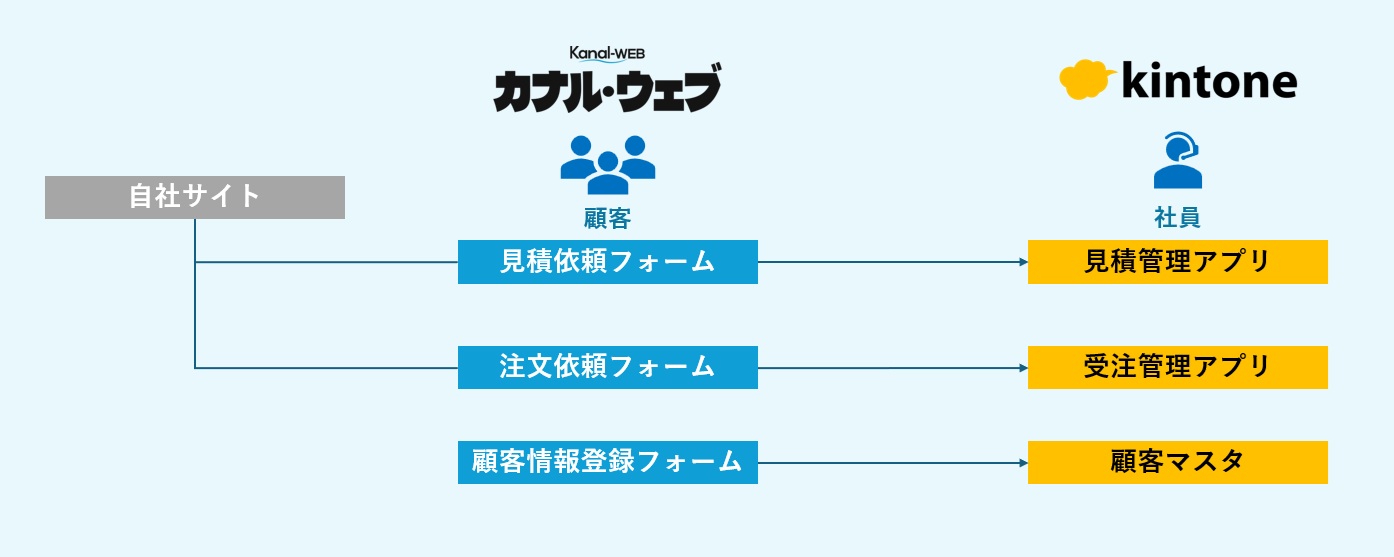
The structure is simple: information entered by customers is registered directly in kintone.
System configuration
[Current setup]
- Quote request form → Quote management app
- Order form → Order management app
- Customer information registration form → Customer master
Everything from receiving an order to registering the project schedule can now be managed as one continuous workflow.
Features that improve input accuracy
The following features reduce the input burden on customers, as well as input errors and checking work.
- Automatic address entry from postal codes
- Phone number and email format validation
- Automatic reply emails
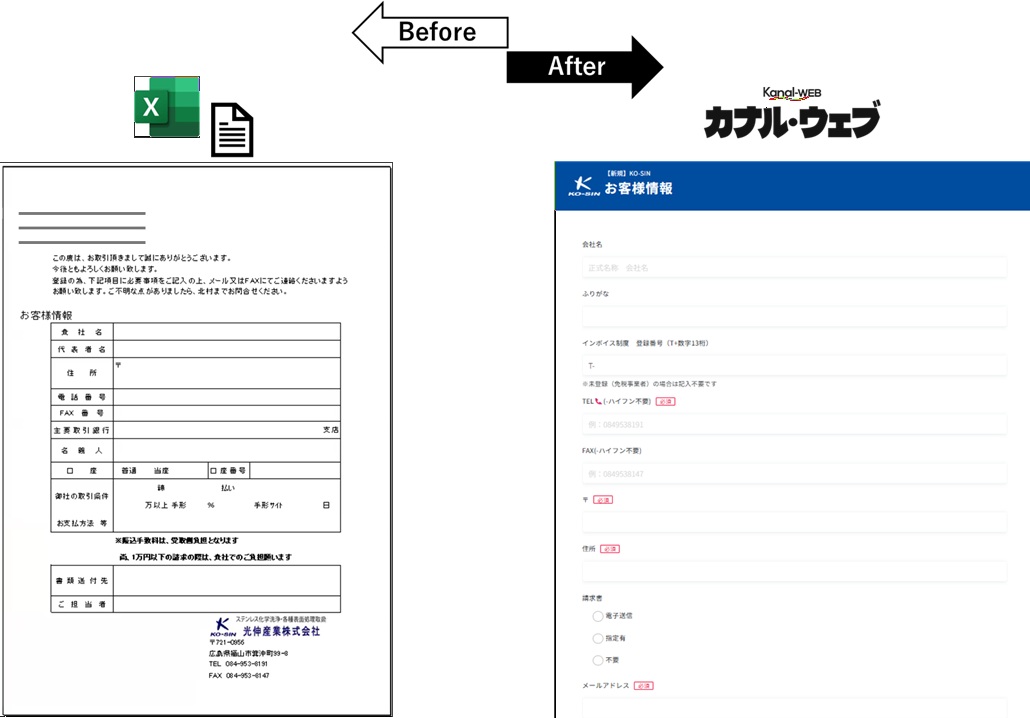
The old Excel sheet and the customer information form
Why They Chose Kanal-WEB
The company had originally used another provider's service, but began exploring alternatives to reduce costs and gain more flexibility in operations.
In the end, it chose Kanal-WEB because it could fully meet the necessary requirements at less than half the cost.
Another goal was to build up a record of inquiries and quotes, along with the responses, in kintone so that the data could be put to use with AI in the future.
Another key point was to unify the previously scattered entry points and storage locations through forms and kintone, so that data could be shared across the company.
Hurdles to Adoption
There was some uncertainty at first: "I don't know if I can set this up myself."
However, the online setup support gave them the confidence that "we can make this work," and they decided to go ahead. They told us that without the support, they might have passed on it altogether.
Results: Less Manual Re-entry and Fewer Errors
By introducing Kanal-WEB, the company achieved:
- Less manual re-entry
- Prevention of input errors
- Centralized data management
- Visibility into response status
As a result, both the accuracy and the predictability of operations as a whole have improved.
About the Person in Charge
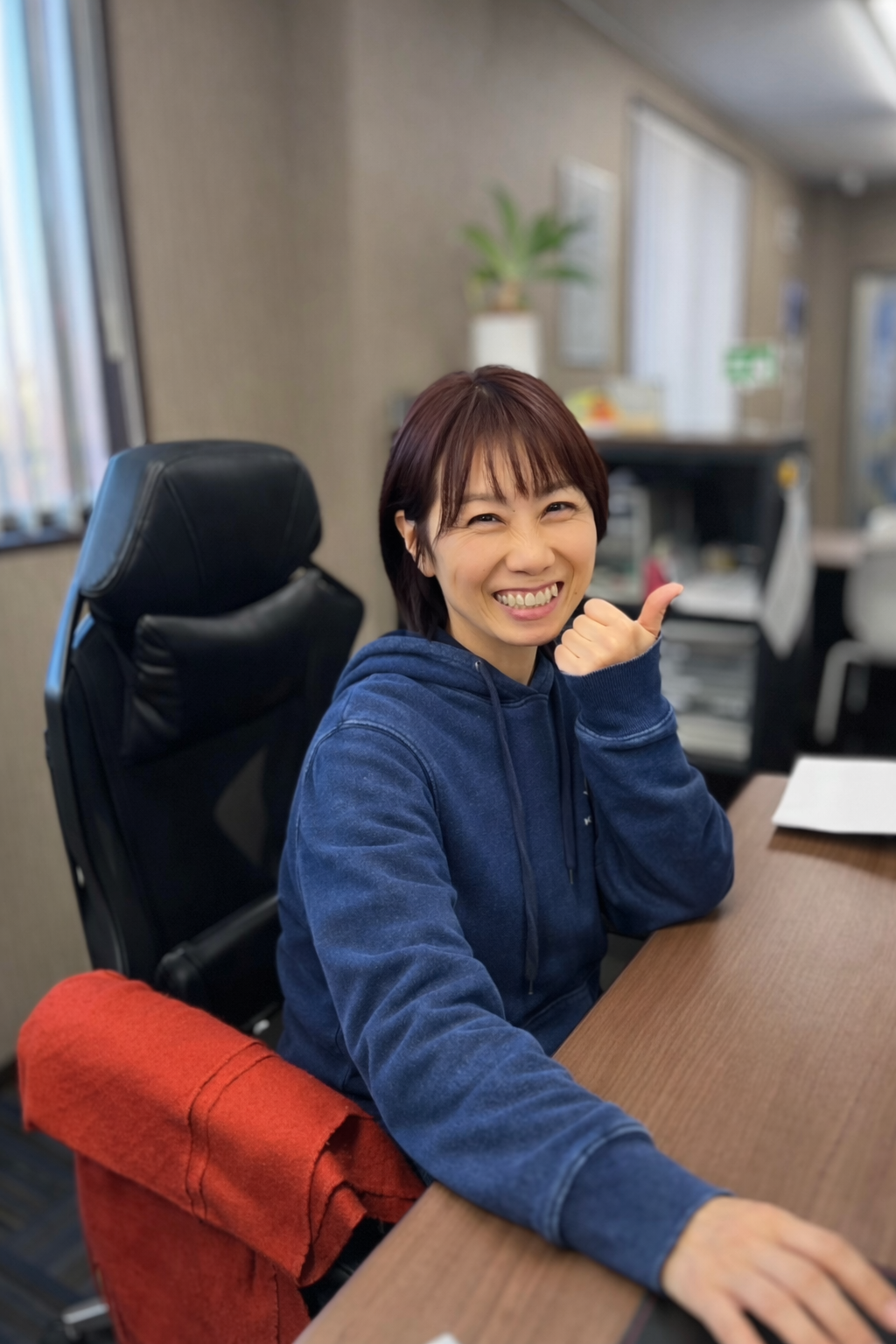
This initiative was led by Kitamura, who comes from an accounting and general affairs background.
Kitamura had no particular systems experience at the outset, but has driven improvements while handling systems on top of accounting and general affairs duties.
Now entrusted with operating and improving the company's kintone environment, Kitamura builds its systems through day-to-day trial and error.
The top priority is making sure "frontline staff can use it without confusion."
Kitamura keeps refining things while watching how the system is actually used, always asking how to make it easier to understand and use.
The current kintone setup is likewise a simple design, pared down to only the features that are needed.
It looks straightforward at first glance, but behind it lies a great deal of trial and error.
Keeping things simple is never easy. Throughout the interview, we could sense a long history of trial and error and a design philosophy grounded in the needs of frontline staff.
In Their Own Words
"I wasn't sure we had anything worth featuring as a case study."
Yet in the same breath, Kitamura said:
"There's still a lot more we can do with it, so I want to keep expanding how we use it."
Kitamura is approaching the work with a positive, forward-looking attitude. We were struck by the commitment to keep improving, even while feeling uncertain day to day.
Involvement in kintone Café
Kitamura joined kintone Café and is now also active as one of its organizers.
Exchanging information within the community has led to:
- A better understanding of how other companies use kintone
- Fresh ideas for improvement
Both have been valuable outcomes of being part of the community.
For anyone else wondering "Can I really do this?" as they take on similar work, this case should give you the push to take the first step. By starting small, you can steadily change the way you work.
Current Status and Next Steps
For now, the system is used mainly for customer information and quote management.
Going forward, the company plans to roll it out to existing customers and gradually extend it across its operations as a whole.
Summary
By combining web forms with kintone, the company built a system that not only means "no manual re-entry" and "no errors," but also "makes response status visible." Even without specialized expertise, you can improve your operations by moving forward step by step.
Try It Out on the Actual Screens
Try every feature free for 30 days.